No products in the cart.


Create overlays for Attainment’s devices, lists, daily planners, and calendars.
Features:
- Create overlays for all GoTalk devices
- Personal planning documents like lists and calendars
- Includes images from Attainment curriculum
- Available for Windows, Mac, and web subscription
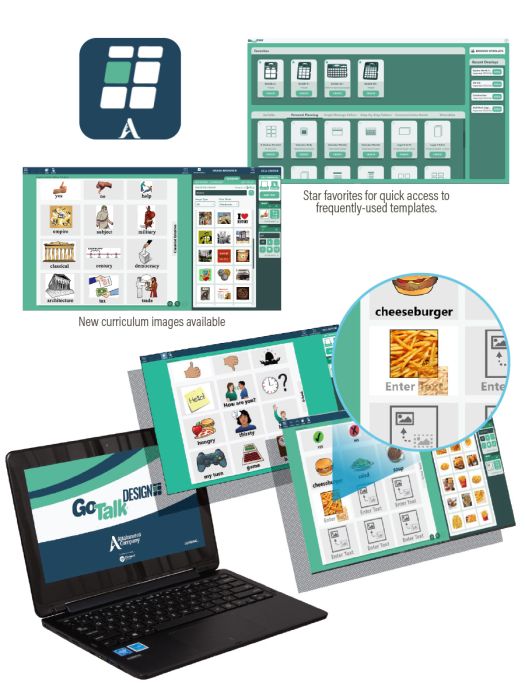
The new GoTalk DESIGN app lets you create overlays for all of your GoTalk devices. GoTalk DESIGN also includes templates to create standalone communication boards or cards and personal planning documents like calendars, daily planners, and lists.

Use the Image Browser to search over 12,000 symbols and images from the built-in image library. The library also includes symbols and images used throughout Attainment’s curriculum packages, making it easy to add content-specific images for ELA, math, science, and other subjects. Find more images using the built-in internet search or add your own pictures to personalize your overlays.

Use pre-populated My Cell templates to insert perfectly aligned images and text fields to your overlays. Save your frequently used cells for quick access when designing new overlays.

Editing features allow you to adjust text color, size, and font. Resize, rotate, or crop images. Add background colors and borders to individual cells to identify different parts of speech.
Platform: Windows, Mac, Web-Based
Compatibility Desktop: Windows 10 and 11; Mac OS 10.13 or higher. iOS v11.0 or higher. Web version runs on Windows, Mac with minimum browser versions: Chrome v75, Safari v12.1, Microsoft Edge v18, Firefox v67, and 64-bit Chromebooks.